What you'll need
- Your iPhone or Android phone
- About 5 minutes
Know what you get free
Alert What it is Cost Wireless Emergency Alerts Built into phones: extreme weather, local emergencies, AMBER alerts Free, no app or sign-up FEMA app National Weather Service alerts for places you choose, plus shelter and safety tips Free weather.gov Official forecasts and warnings for your area Free Your county or city alerts Local text or email alerts. Ready.gov explains how to find yours Usually free (normal text rates may apply) Check your iPhone settings
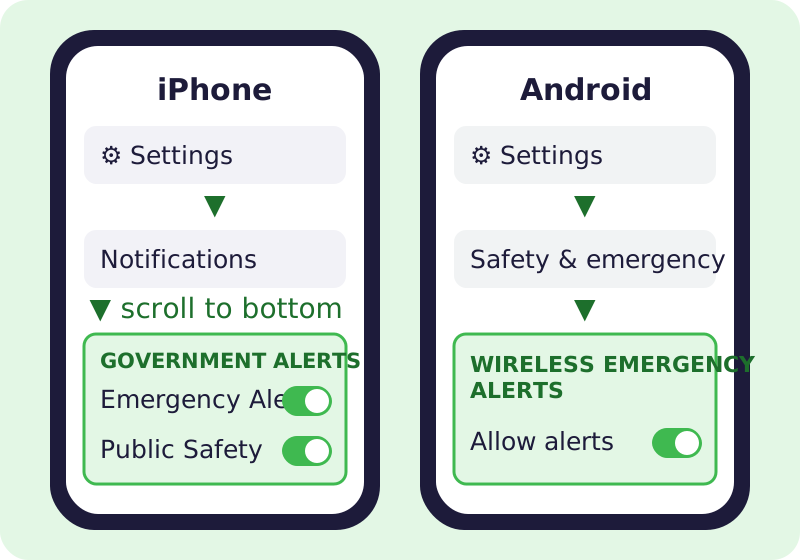
Where the alert switches live on each kind of phone. - Open Settings > Notifications.
- Scroll to the very bottom to Government Alerts.
- Make sure Emergency Alerts and Public Safety Alerts are on. AMBER Alerts are there too.
Details: Apple's government and emergency alerts help page.
Check your Android settings
- Open Settings > Safety & emergency > Wireless emergency alerts. (On some phones it's under Notifications > Advanced settings; search Settings for "emergency alerts".)
- Turn on Allow alerts and the alert types you want.
Details: Google's Android emergency help page.
Add the free FEMA app (optional)
- Install the FEMA app only from the Apple App Store or Google Play. The developer should be FEMA. FEMA lists it on its mobile products page.
- Allow notifications and add the places you care about, like your home and a parent's town.
Sign up for local alerts
Many counties and cities send their own free text alerts. Search for your county's official site (the address usually ends in .gov) and look for "emergency alerts". Ready.gov/alerts explains the options.
Spot fake alerts
⚠️ Watch out: Real Wireless Emergency Alerts never ask you to tap a link to "confirm", pay, or enter your details. After disasters, scammers pretend to be FEMA. FEMA never charges a fee to apply for help; apply only at DisasterAssistance.gov or by calling 1-800-621-3362. See FEMA's disaster fraud page.
🎉 All done! Your phone is set to warn you for free. Nothing here ever costs money; if something asks you to pay for alerts, skip it.
Related game: Safe or Risky?. Related explainer: 5G vs. 4G vs. Wi-Fi calling: what's the difference? .