- A library card (free from your local public library)
- A phone, tablet or computer
Official links
Who qualifies
Anyone with a public library card. Cards are free for local residents; some libraries let you sign up online.
What you get
Free e-books, audiobooks and magazines (Libby), films (Kanopy) and movies, music and comics (hoopla), plus extras some libraries lend.
After the free part
Free. Digital loans return themselves, so there are no late fees. Your library sets monthly limits.
Get a card
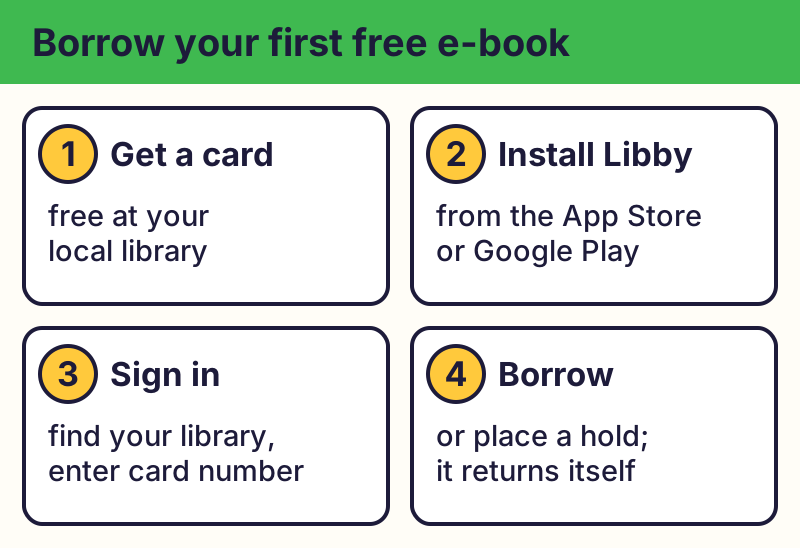
Library cards are free for local residents. Many libraries let you sign up online; others ask you to visit with an ID and proof of address.
Libby: e-books and audiobooks
Install Libby (made by OverDrive) from the App Store or Google Play, find your library, and sign in with your card number. Borrow e-books, audiobooks and magazines free.
Kanopy and Hoopla: movies and more
Many libraries also offer Kanopy (films and TV) and Hoopla (movies, music, comics, e-books). Each library sets its own monthly limits, and not every library has every app. Some libraries dropped Hoopla in 2026, so check your library's website for what it offers now.
Ask about extras
Some libraries lend museum or park passes, laptops, Wi-Fi hotspots or tools. Check your library's website or ask at the desk; what's offered varies.
Keep it free
⚠️ Careful: These library apps are free and only ask for your library card number and PIN. If an app or website asks for a credit card to "unlock" free library books, it's not your library. Real free programs never ask for your card or bank details to give you something free, never pressure you with a countdown, and never come from a random text, pop-up or caller. Go to the official website yourself instead of tapping a link.
Compare at a glance
| App | What you get | Good to know |
|---|---|---|
| Libby | E-books, audiobooks, magazines | Popular titles may have a wait list |
| Kanopy | Films, TV, kids' shows | Your library sets monthly plays |
| hoopla | Movies, music, comics, e-books | Some libraries dropped it in 2026 |
The real addresses are libbyapp.com, kanopy.com, hoopladigital.com. Type it yourself or use the buttons above. Fake sites use names like free-library-ebooks-unlock.com (examples only, do not visit). A real free program never asks for your card or bank details to “unlock” it.
Why we trust this: App details come from OverDrive's, Kanopy's and hoopla's own sites, checked October 2026. What's offered depends on your library.
Related game: Scam or Legit?. Related explainer: What does “the cloud” really mean? .