What you'll need
- Your computer or phone
- A document or form
- About 10 minutes
Pick the free tool for the job
Job Windows Mac iPhone Android Save as PDF Ctrl + P > Microsoft Print to PDF (in Office: Save as PDF) Save as PDF Share > Print > Share Print > Save as PDF Scan paper Phone app Phone app Notes or Files: Scan Google Drive: Scan Fill and sign Adobe Acrobat Reader Preview Files: Markup Acrobat Reader app Save anything as a PDF
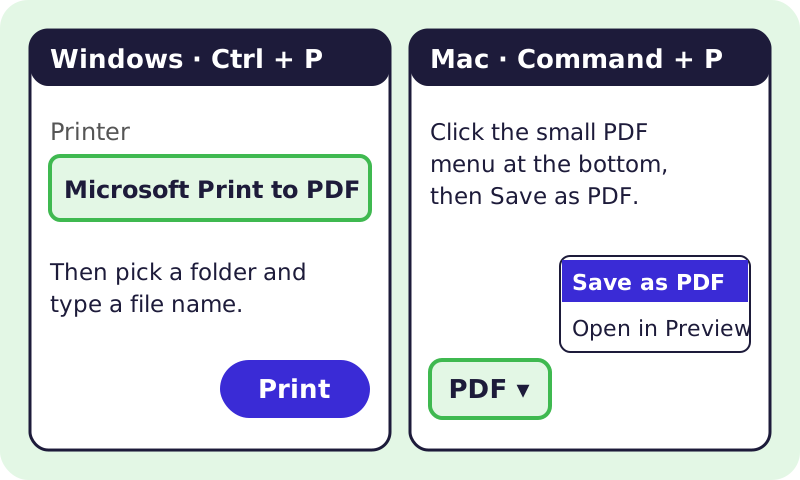
The free "print to PDF" trick on Windows and Mac. - On Windows, press Ctrl + P, choose Microsoft Print to PDF as the printer, click Print, then pick a folder and name.
- On a Mac, press Command + P, click the PDF menu at the bottom, then Save as PDF.
- In Word, you can also use File > Save As and pick PDF (see Microsoft's guide).
Scan paper with your phone
- iPhone: open Notes, start a note, tap the paperclip or camera button, then Scan Documents (see Apple's steps).
- Android: open Google Drive, tap + New > Scan (see Google's steps).
- Line up the page on a dark table in good light, then save. You get a clean PDF.
Fill out and sign a form
- Windows or Android: the free Adobe Acrobat Reader has Fill & Sign. When installing on a computer, untick any extra offers.
- Mac: open the PDF in Preview and use the Markup tools to type and sign (see Apple's steps).
- iPhone: open the PDF in Files, tap the Markup button, and type or sign.
You don't need to pay for Acrobat Pro just to fill and sign.
Avoid free online converters
⚠️ Watch out: The FBI warned in March 2025 that some free online file converter sites install malware or steal data from what you upload. Don't upload tax forms, IDs or bank papers to random converter sites. Use the built-in tools above. Read the FBI Denver warning.
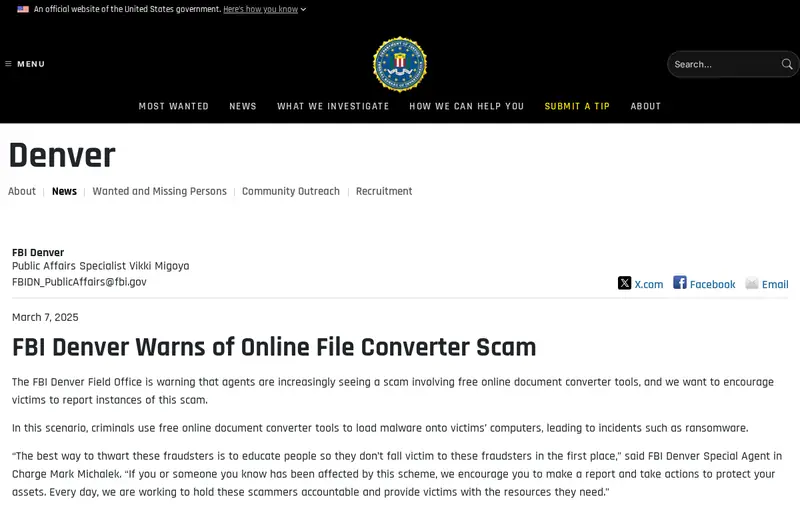
The FBI's official warning about fake file converters. Screenshot of the official page, October 2026. It may look a little different now.
🎉 All done! You can make, scan, fill and sign PDFs without paying or risking malware. After the free part: Acrobat Pro and other paid PDF editors are optional.
Related game: Safe or Risky?. Related explainer: What is phishing, and how do I spot it? .