What you'll need
- A phone, tablet, computer or smart speaker
- About 8 minutes
Know what free gets you
Service Free version Paid version Spotify Free Ads; on phones you can pick some songs each day, then shuffle with limited skips; no downloads Premium: no ads, downloads (about $12.99/month in the U.S.) YouTube Music Ads; music stops when you lock the screen or switch apps (background play is paid) Premium: background play, downloads Pandora Free personalized stations with ads Paid plans add skips and on-demand hoopla (library) Borrow albums free with a library card, if your library offers it Free; your library sets a monthly limit NPR and local stations Free live radio streams and podcasts Free (donations welcome) 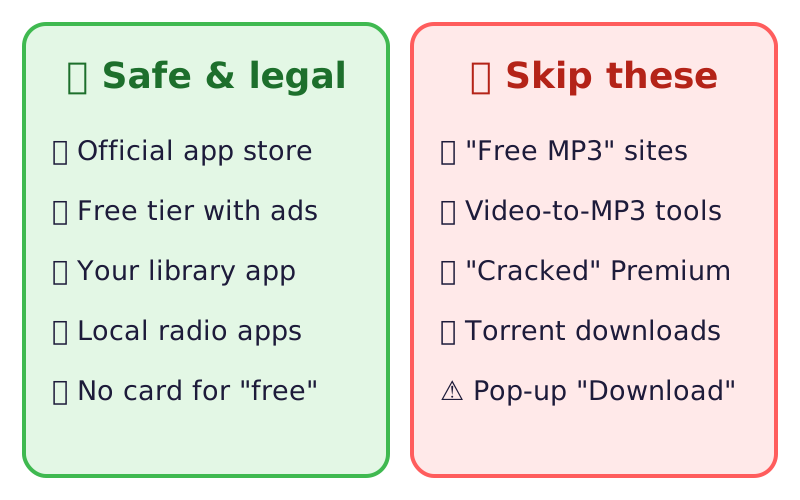
Safe free music versus downloads to skip. Get the official app
- Install the app only from your phone's app store, or open the official website by typing the address.
- Check the developer name (Spotify, Google, Pandora, hoopla digital).
- Sign up for the free plan. You don't need a card for a free plan.
Use your library card
Many libraries offer free music through hoopla. Open the app, pick your library, and sign in with your library card number. See our guide to free stuff with a library card for more.
Stream on a smart speaker
Most smart speakers play free radio and free tiers of music services. Just ask for a station or a genre; you may hear ads.
Skip risky "free download" sites
⚠️ Watch out: "Free MP3" sites, YouTube-to-MP3 converters, "cracked" Premium apps and torrents are a common way to get malware, and often break copyright law. If a site asks you to install a "player" or "codec", close it. The FTC explains how malware spreads.
🎉 All done! You've got free, legal music. After the free part: paid plans remove ads and add downloads. Start with a trial only if you've set a reminder to cancel.
Related game: Safe or Risky?. Related explainer: Smart speakers and privacy: is Alexa always listening? .